


If you want to add lyrics to Spotify as an artist, you do not upload them directly through Spotify for Artists. Spotify currently gets its licensed and synchronised lyrics from Musixmatch, so artists and their teams manage lyric text and timing through a verified Musixmatch Pro account.
The process is free for basic lyric management: create a Musixmatch Pro account, verify your artist profile, find the correct song, add or correct the words, sync each line to the recording and submit the changes. Spotify says updates can then take a few days to appear.
Last checked: 18 September 2026
Table of content
Introduction
How to Add Lyrics to Spotify: Current Artist Workflow
Key Takeaways
Signing Up for a Musixmatch Account
Becoming a Verified Artist on Musixmatch
Linking Your Spotify Account
Adding or Correcting Your Lyrics
Formatting and Text Guidelines for Lyrics Submission
Synced vs Unsynced Lyrics: What's the Difference?
Syncing Lyrics With Your Music
How Spotify Lyrics Look to Listeners
Adding Song Credits and Release Metadata
Troubleshooting Missing or Incorrect Spotify Lyrics
Publishing and Monitoring Your Lyrics on Spotify
Can You Add Spotify Lyrics Before Release Day?
Managing Lyrics for Releases in Japan
Do Lyrics Help Your Spotify Performance?
Frequently Asked Questions
Conclusion
How to Add Lyrics to Spotify: Current Artist Workflow
Here is the current process for artists.
1. Create a Musixmatch Pro Account
Go to Musixmatch Pro and create an account.
The free Musixmatch Pro tier is sufficient if your goal is simply to:
Add lyrics
Edit lyrics
Sync lyrics with your music
You do not need to purchase a paid Musixmatch plan just to manage Spotify lyrics.
2. Verify Your Artist Profile
From the Musixmatch Pro dashboard:
Open Roster.
Select Add artist.
Enter your Spotify artist-profile URL.
Complete the requested information.
Wait for Musixmatch to verify that you are the artist or an authorised member of the artist's team.
Musixmatch normally emails you within a few business days either confirming verification or requesting additional information.
3. Find the Song
Once verified:
Open Roster.
Choose the artist.
Select a song from To Do or Music.
Choose Lyrics.
If the track is missing, go to:
Music → Add missing release
Spotify's current guidance says a manually added missing release can take up to 48 hours to appear in Musixmatch.
4. Add or Correct the Lyrics
Enter the complete lyric exactly as it is performed in the recording.
Include repeated:
Words
Lines
Choruses
Verses
Do not replace repeated lyrics with shortcuts such as:
Chorus x2
When the lyric is correct, select Send.
5. Sync the Lyrics
Adding the words and synchronising them are separate steps.
Open the song and select Sync.
Musixmatch displays the lyrics line by line while the audio plays. Adjust each timestamp so the line begins when the first word is sung.
When the timing is correct, select Send again.
6. Check Spotify
Spotify says lyric changes can take a few days to appear.
Once they are live, check:
The words
Line breaks
Timing
Repeated sections
Explicit language
The correct song version
Do not assume the update has failed simply because it is not visible immediately after submission.

Key Takeaways
Spotify currently uses Musixmatch to provide licensed and synced lyrics.
Artists cannot directly upload lyrics through Spotify for Artists.
The free Musixmatch Pro tier is enough to add, edit and sync Spotify lyrics.
Spotify Premium is not required to manage lyrics, although connecting Premium lets Musixmatch automatically pair your Spotify catalogue and fetch song audio.
Artist verification is handled through Musixmatch Pro using your Spotify artist URL.
Missing releases can be manually added to Musixmatch and may take up to 48 hours to appear.
Lyrics and lyric timing are separate: add the correct text first, then sync the lines to the recording.
Spotify says lyric updates may take a few days to appear.
Incorrect song titles, artist names and other release metadata normally need to be fixed through your distributor rather than through Musixmatch.
Lyrics for Spotify listeners in Japan are handled by PetitLyrics, not Musixmatch.
Signing Up for a Musixmatch Account
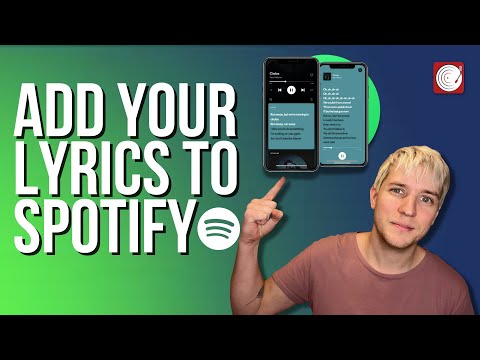
To manage Spotify lyrics, start by creating a Musixmatch Pro account.
Spotify's current artist guidance directs artists to Musixmatch Pro and confirms that the free plan provides everything required to add, edit and sync lyrics yourself.
When registering, use an email address associated with your:
Artist
Label
Management company
where possible.
Spotify specifically recommends this because it can help Musixmatch verify your identity.
After creating the account, complete your profile information before adding the artist to your roster.
The official Spotify instructions for the current process can be found here:
https://support.spotify.com/uk/artists/article/managing-your-lyrics-on-spotify/
Becoming a Verified Artist on Musixmatch
Artist verification establishes that you are authorised to manage the catalogue.
From your Musixmatch Pro homepage:
Select Roster.
Choose Add artist.
Paste the Spotify URL for the correct artist profile.
Complete the remaining required information.
Submit the verification request.
Musixmatch then reviews the request.
Spotify says you should expect an email within a few business days confirming verification or asking for further information.
Make sure you submit the URL for the correct artist.
Artists with similar or identical names can occasionally be confused on music platforms, so verify the profile carefully before connecting it.
If you are managing your wider Spotify presence as well as your lyrics, our Spotify for Artists guide explains how the artist dashboard works and what you can manage through it.
Linking Your Spotify Account
Spotify recommends linking your Spotify account to Musixmatch when managing lyrics.
One important correction from older guides is that:
Spotify Premium is not required to add, edit or sync lyrics.
A free Spotify account can be used.
Premium provides an additional convenience.
If you connect a Spotify Premium account, Musixmatch can automatically:
Pair your Spotify catalogue with your Musixmatch Pro account
Fetch your songs' audio for synchronisation
Without that automatic audio connection, you can upload audio manually through Musixmatch's Audio tab when needed.
This distinction is useful because artists should not feel that they need to purchase Spotify Premium solely to make their lyrics appear on Spotify.
Adding or Correcting Your Lyrics
Once the artist is verified, go to:
Roster → Artist → To Do or Music → Lyrics
Select the song you want to manage.
If there are no lyrics yet, enter them.
If lyrics already exist but contain mistakes, edit the existing text.
Make sure the words match the released recording rather than:
A demo
An earlier lyric sheet
An alternate version
A clean version of an explicit recording
A live version with different words
When finished, select Send.
Spotify says it can take a few days for submitted changes to be reflected on the service.
What If the Song Is Missing From Musixmatch?
Open:
Music → Add missing release
and add the release manually.
Spotify states that a manually added release can take:
up to 48 hours
to appear.
If the release itself has only just reached Spotify, give the platforms time to ingest and match the catalogue before assuming something is wrong.
Formatting and Text Guidelines for Lyrics Submission
Accurate transcription matters because the lyric should represent what listeners actually hear.
Spotify's current Musixmatch guidance says to:
Transcribe the complete lyric
Include repeated words and lines in full
Avoid shortcuts such as “x2”
Include only lyrical audio
Use section tags such as #VERSE and #CHORUS
Write the lyric in its native script
For example, do not enter:
CHORUS x2
if the chorus is sung twice.
Write the complete chorus again wherever it occurs.
Similarly, do not add descriptions such as:
[Guitar solo]
if there are no sung words during that section.
Block Field
Synced vs Unsynced Lyrics: What's the Difference?
Adding lyrics and syncing lyrics are not the same task.
Unsynced Lyrics
Unsynced lyrics are the written transcription of the song without line-by-line timing information.
The words may be correct, but the lyric has not yet been aligned with exact points in the recording.
Think of this as the lyric sheet.
Synced Lyrics
Synced lyrics contain timing information that tells the platform when each line should appear as the song plays.
This creates the familiar Spotify experience where the words progress in real time with the vocal.
For Spotify's real-time lyric experience, you should therefore complete both parts:
Correct lyric text
and:
Accurate synchronisation
A perfectly transcribed lyric can still create a poor listener experience if every line appears several seconds too early or late.
Syncing Lyrics With Your Music
To sync a song:
Open Roster in Musixmatch Pro.
Select the appropriate song.
Choose Sync.
Play the recording.
Adjust each lyric line so its timestamp matches the music.
Select Send when finished.
Spotify's current guidance says to synchronise each line at the point where the first word of the line is sung.
If a recording contains several simultaneous voices, prioritise the main vocal track.
If you use Spotify Premium, Musixmatch can automatically fetch the audio from your Spotify catalogue.
Otherwise, you can upload the audio manually through Musixmatch.
Avoid rushing the synchronisation stage.
Small timing errors are particularly obvious when listeners follow lyrics in real time.
How Spotify Lyrics Look to Listeners
Artists manage their lyrics through Musixmatch, but it is useful to understand how listeners actually see the result.
Spotify currently offers lyrics to users on both:
Free
and:
Premium
plans.
Availability can still vary between songs, markets and devices.
Spotify Lyrics on Mobile
On a phone:
Play the song.
Open Now Playing.
Scroll down to Lyrics.
Tap the lyrics to expand them to full screen.
Spotify also displays real-time lyric previews beneath album artwork or Canvas on supported mobile experiences.
Spotify Lyrics on Desktop and Web Player
On desktop or the Spotify web player:
Play the song.
Select the Lyrics icon at the bottom of the player.
Synced lyrics then follow the track as it plays.
You do not need to design separate mobile and desktop lyrics. Musixmatch supplies the lyric data and Spotify determines how it is presented on each supported device.
Adding Song Credits and Release Metadata
Lyrics are only one part of a Spotify release.
It is important not to confuse Musixmatch lyric data with the metadata supplied to Spotify by your distributor.
Information such as:
Artist name
Featured artist
Song title
Album or EP title
Release date
ISRC
Label information
Composer or songwriter information
Other release metadata
is generally delivered to Spotify through your label or distributor.
Musixmatch should not be used as a substitute for correcting the underlying release metadata.
If Spotify shows the wrong:
Artist
Track title
Album information
Artist association
contact the distributor or label that delivered the release.
Spotify's own support documentation directs artists back to their label or distributor when music metadata is inaccurate.
If you are preparing a release and want to avoid these problems before delivery, see our guide to uploading music to Spotify as an independent artist.
Troubleshooting Missing or Incorrect Spotify Lyrics
Most lyric problems fall into a few common categories.
My Song Is on Spotify but Missing From Musixmatch
Go to:
Music → Add missing release
inside Musixmatch Pro.
Spotify says it can take up to 48 hours for that manually added release to become available.
I Submitted Lyrics but They Still Aren't on Spotify
Do not expect an immediate update.
Spotify's current guidance says changes may take a few days to appear.
If the lyrics were only submitted recently, wait before making duplicate submissions.
The Lyrics Are Wrong
Open the song in Musixmatch Pro:
Roster → Music → Lyrics
Correct the transcription and select Send.
Then allow a few days for Spotify to receive the change.
The Lyrics Are Correct but the Timing Is Wrong
The text does not need to be rewritten.
Open:
Roster → Song → Sync
and correct the timestamps.
Start each line when its first word is sung, then submit the synchronisation again.
My Spotify Catalogue Isn't Automatically Appearing in Musixmatch
Automatic catalogue pairing is a benefit of connecting Spotify Premium.
Premium is not required for lyric submission itself.
If you do not use Premium, find the release manually and upload the required audio through Musixmatch where necessary.
The Artist Name or Song Title Is Wrong
That is normally a release metadata issue, not a lyric problem.
Contact the distributor or label responsible for delivering your music to Spotify.
Changing a lyric in Musixmatch will not repair incorrect Spotify release metadata.
The Song Is on the Wrong Spotify Artist Profile
Use Spotify for Artists to report the catalogue mismatch or contact your distributor.
This needs to be fixed separately from the lyric submission.
Our Spotify for Artists guide covers artist-profile management in more detail.
Lyrics Appear on One Device but Not Another
Spotify says lyric availability can vary:
By device
By market
By song
Over time
First make sure the Spotify app is current, then check the same track using another supported device or the web player.
A device-specific display problem does not necessarily mean the Musixmatch submission is missing.
Publishing and Monitoring Your Lyrics on Spotify
After sending lyrics or synchronisation changes through Musixmatch, allow a few days for Spotify to reflect them.
Once live, listen through the song while watching the lyrics from beginning to end.
Check for:
Missing lines
Spelling errors
Incorrect repeated sections
Wrong timestamps
Lines appearing too early
Lines appearing too late
Lyrics attached to the wrong version
Do this after every significant lyric correction.
Spotify lyrics are seen by listeners directly inside the listening experience, so mistakes can be much more noticeable than errors hidden inside an artist dashboard.
Can You Add Spotify Lyrics Before Release Day?
The practical workflow depends on whether the release is already available and correctly represented in Musixmatch.
If Musixmatch can identify the relevant release and audio, you can work on the lyric there.
However, the most important priority before release is ensuring that the recording itself has been delivered with accurate metadata through your distributor.
Do not use the lyrics process as a substitute for your normal release setup.
Before sending music to Spotify, check:
Artist name
Track title
Featured artists
ISRC
Release date
Artwork
Version information
Our Spotify upload guide covers the wider delivery process.
Managing Lyrics for Releases in Japan
Spotify uses a different lyric provider for listeners in Japan.
According to Spotify's current artist documentation:
lyrics in Japan are handled by PetitLyrics.
If you need to add or change lyrics for that market, use PetitLyrics rather than assuming that a Musixmatch correction will control the Japanese lyric display.
PetitLyrics is available at:
This regional exception is important for artists with a significant Japanese audience.
Do Lyrics Help Your Spotify Performance?
Lyrics can improve the listening experience because fans can:
Follow the words while a song plays
Understand difficult lines
Sing along
Share selected lyrics from supported Spotify experiences
Connect more closely with the songwriting
However, artists should avoid assuming that simply adding lyrics will automatically improve Spotify algorithmic placement or playlist performance.
Spotify does not state that lyric submission itself guarantees:
More streams
Editorial playlist placement
Release Radar inclusion
Algorithmic recommendations
Lyrics are best viewed as part of presenting a complete, professional release.
Frequently Asked Questions
Can Artists Add Lyrics Directly in Spotify for Artists?
No.
Spotify currently directs artists to Musixmatch to add, edit and sync lyrics.
Spotify for Artists is still useful for managing your artist presence, monitoring performance and resolving certain catalogue issues, but lyric submission takes place through Musixmatch.
Is Musixmatch Free for Spotify Artists?
Yes.
Spotify's current guidance says the free Musixmatch Pro plan is sufficient to add, edit and sync your own lyrics for Spotify.
Paid Musixmatch plans offer other features, but they are not required for basic Spotify lyric management.
Do I Need Spotify Premium to Add Lyrics?
No.
Spotify Premium is not required to add, edit or sync your lyrics.
Connecting Premium allows Musixmatch to automatically pair your Spotify catalogue and retrieve audio for synchronisation.
How Long Do Spotify Lyrics Take to Update?
Spotify currently says lyric submissions and changes can take a few days to appear.
Avoid relying on older guidance promising that every update will be live within 24 hours.
How Do I Fix Incorrect Lyrics on Spotify?
Correct the lyric in your verified Musixmatch Pro account and select Send.
Allow a few days for the update to reach Spotify.
How Do I Fix Spotify Lyrics That Are Out of Sync?
Open the song in Musixmatch Pro and select Sync.
Adjust the timestamp for each line so it begins when the first word is sung, then submit the corrected sync.
What If My Song Doesn't Appear in Musixmatch?
Use:
Music → Add missing release
Spotify says the manually added release may take up to 48 hours to appear.
What Is the Difference Between Synced and Unsynced Spotify Lyrics?
Unsynced lyrics contain the written words without time alignment.
Synced lyrics include timestamps so the lines follow the song in real time.
Can Listeners See Lyrics Without Spotify Premium?
Yes.
Spotify currently makes lyrics available to both Free and Premium users, although availability can vary between tracks, devices and markets.
Does Musixmatch Control My Spotify Song Metadata?
No.
Musixmatch manages lyrics.
The underlying release metadata displayed by Spotify is normally supplied by your distributor or label.
If the song title, artist, release or other metadata is wrong, contact the distributor responsible for delivering it.
How Do I Add Lyrics to Spotify in Japan?
Spotify says lyrics for listeners in Japan are handled by PetitLyrics rather than Musixmatch.
Use PetitLyrics to add or correct lyrics for that market.
Conclusion
The current process for adding lyrics to Spotify is straightforward once you know that the work happens through Musixmatch rather than Spotify for Artists.
Create a Musixmatch Pro account, verify your artist profile, find the correct release and enter the complete lyric.
Then complete the second part of the process by synchronising each line with the recording.
The free Musixmatch Pro tier is enough for these core tasks, and Spotify Premium is optional rather than required.
Once submitted, Spotify says updates can take a few days to appear.
If the lyric is wrong, correct it through Musixmatch.
If the lyric timing is wrong, update the sync.
And if the problem is actually the artist name, track title, release information or another piece of Spotify metadata, work through your distributor rather than trying to fix it inside the lyric system.
Treating lyrics and release metadata as separate workflows makes it much easier to diagnose problems and ensures listeners see both the right song information and the right words when they press play.
Subscribe to our newsletter
Stay updated with the latest Muso news, tips, and success stories. Subscribe to our newsletter and never miss an update!


