


iTunes Match is Apple's service for syncing a personal music library through iCloud. It matches eligible tracks with versions in Apple's catalogue and uploads songs it cannot match, allowing access across compatible devices. It is designed for people who own a large collection rather than those who only stream. Here is how it works, what it does not replace and how it compares with Apple Music.
Table of content
Introduction
Key Takeaways
What Is iTunes Match?
Is iTunes Match Still Available in 2026?
How Does iTunes Match Work?
iTunes Match Limits in 2026
How Much Does iTunes Match Cost?
iTunes Match vs Apple Music: What's the Difference?
Do You Need iTunes Match if You Have Apple Music?
How Many Devices Can Use iTunes Match?
Which Devices Support iTunes Match?
iTunes Match vs Apple Music Device Support
How to Subscribe to iTunes Match
Setting Up Sync Library
What Happens to Matched Songs?
Are iTunes Match Downloads DRM-Free?
What Happens to Songs iTunes Match Cannot Find?
Who Is iTunes Match Best For?
Is iTunes Match Useful for Musicians?
Is iTunes Match a Backup Service?
Why iTunes Match Should Not Replace Your Original Files
Can You Download Music for Offline Listening?
What Happens if You Cancel iTunes Match?
iTunes Match and Family Sharing
Should You Choose iTunes Match or Apple Music?
Is iTunes Match Worth It in 2026?
Frequently Asked Questions
Conclusion
Key Takeaways
iTunes Match is still available in 2026 and lets you sync a personal music library through Apple's cloud without subscribing to the full Apple Music streaming catalogue.
It scans music stored on a Mac or Windows PC, matches eligible songs with Apple's catalogue and uploads tracks it cannot match.
Apple currently supports up to 100,000 songs, excluding music and music videos purchased from the iTunes Store.
Individual cloud music files can be up to 200 MB.
Matched music is made available at iTunes Plus quality: 256 kbps DRM-free AAC.
iTunes Match currently costs £21.99 per year in the UK at last check, although Apple's subscription screen should be treated as the final price before purchase.
Apple Music Individual currently costs £11.99 per month in the UK and includes a much wider streaming service alongside Sync Library functionality.
iTunes Match works with Mac, Windows, iPhone, iPad and compatible Apple TV devices, but Apple specifically states that iTunes Match is not available on Android.
iTunes Match is a synchronisation service, not a backup system. Keep an independent copy of your original music files.
Last checked: 28 August 2026
What Is iTunes Match?
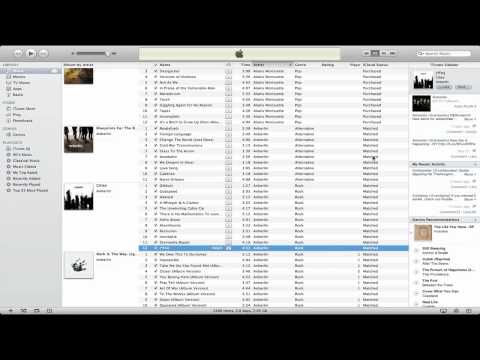
iTunes Match is an Apple subscription service designed for people who have their own personal digital music collection.
That can include music:
Ripped from CDs
Purchased from stores other than Apple
Imported from older computers
Downloaded directly from artists
Collected over many years
Instead of manually transferring that entire library between devices, iTunes Match analyses the music on your Mac or Windows PC and makes it available through Apple's cloud music system.
Apple's current iTunes Match support page confirms that the service remains available and works through the Apple Music app on Mac and Windows.
Once your library has been processed, you can use Sync Library to access it on compatible devices signed in to the same Apple Account.
Is iTunes Match Still Available in 2026?
Yes.
Despite the disappearance of the original iTunes app from modern Macs and Apple's much stronger emphasis on Apple Music, iTunes Match has not been discontinued.
Apple's current support documentation still provides:
Subscription instructions
Cancellation instructions
Sync Library instructions
Troubleshooting guidance
Device compatibility information
Apple's Sync Library documentation was updated in May 2026 and continues to state that Sync Library can be used with either an Apple Music subscription or an iTunes Match subscription.
You can check Apple's current instructions on its Sync Library support page.
The confusion largely comes from the branding.
On newer Macs and Windows PCs, you now manage iTunes Match through the Apple Music app, rather than the old standalone iTunes interface.
The service itself remains available.
How Does iTunes Match Work?
iTunes Match essentially performs three jobs:
Scans your existing music library
Matches songs that Apple already has
Uploads songs that cannot be matched
1. iTunes Match Scans Your Music
When you subscribe, Apple analyses the music library stored on your Mac or Windows PC.
The process may take some time for a large collection.
Apple provides a status indicator so you can see the progress, and interrupted uploads can resume later.
2. Apple Matches Songs It Recognises
If Apple can identify a song already available through the iTunes Store catalogue, it does not need to upload your exact local copy.
Instead, the track is classified as Matched.
Apple's current documentation says matched tracks are made available at iTunes Plus quality: 256 kbps DRM-free AAC.
That means a matched song originally stored as an older low-bitrate MP3 may have a higher-quality Apple copy available to download.
However, it is better to describe this as a downloadable matched version, rather than saying iTunes Match automatically replaces or upgrades your original master.
Your original local file remains important.
3. Unmatched Music Is Uploaded
If Apple cannot find a corresponding track in its catalogue, iTunes Match uploads the song to your cloud music library.
This can be particularly useful for:
Rare recordings
Independent releases
Live recordings
Obscure CD rips
Music unavailable from Apple
Personal recordings
That is one of the reasons the service still appeals to people with carefully maintained music collections.
iTunes Match Limits in 2026
One of the most important corrections to older iTunes Match guides concerns the song limit.
Older versions of the service were commonly described as supporting 25,000 songs.
That is no longer Apple's current documented limit.
Apple now states that your cloud music library can hold:
Up to 100,000 songs
This does not include songs or music videos purchased from the iTunes Store.
Apple also currently specifies:
Maximum individual file size: 200 MB
So the current limits are straightforward:
Personal cloud library: Up to 100,000 songs
iTunes Store purchases: Do not count towards the limit
Maximum individual file: 200 MB
Matched quality: 256 kbps DRM-free AAC
Apple lists these current limits in its iCloud Music Library documentation.
How Much Does iTunes Match Cost?
Last checked: 28 August 2026
The current UK price we could verify is:
iTunes Match: £21.99 per year
That works out at approximately:
£1.83 per month
but it is billed as an annual subscription rather than a normal monthly plan.
Apple's current support documentation confirms that iTunes Match runs on a one-year subscription which automatically renews, although Apple does not currently display the UK price directly in the text of its public support article.
Because regional pricing can change, check the amount shown on the Subscribe screen in the Apple Music app before confirming payment.
By comparison, Apple currently charges:
Apple Music Individual: £11.99 per month
That is a much larger annual expense, but the two services offer very different products.
iTunes Match vs Apple Music: What's the Difference?
The easiest way to understand the difference is this:
iTunes Match is primarily for music you already own or have collected.
Apple Music is primarily a streaming subscription giving you access to Apple's catalogue.
There is some overlap because both services can use Sync Library to make your personal music available across devices.

iTunes Match
Main purpose:
Sync and access your existing personal music library.
UK price:
£21.99 per year at our last check.
Streaming catalogue:
No full Apple Music streaming catalogue.
Personal music matching:
Yes.
Unmatched personal tracks:
Can be uploaded to your cloud library.
Cloud library limit:
Up to 100,000 songs, excluding qualifying iTunes Store purchases.
Matched track quality:
256 kbps DRM-free AAC.
Offline listening:
You can download music from your cloud library to supported devices.
Mac:
Supported.
Windows:
Supported.
iPhone and iPad:
Supported.
Apple TV:
Supported on compatible devices for synced library access.
Android:
Not supported by iTunes Match.
Full lossless Apple Music catalogue:
Not included.
Spatial Audio catalogue:
Not included.
Apple Music
Main purpose:
Stream Apple's music catalogue while also managing and syncing your personal library.
UK price:
£11.99 per month for the Individual plan at our last check.
Streaming catalogue:
More than 100 million songs.
Personal music matching:
Yes, through Sync Library.
Unmatched personal tracks:
Can also be incorporated into your synced personal library.
Cloud library limit:
Up to 100,000 songs for your personal cloud music library, excluding qualifying iTunes Store purchases.
Offline listening:
Yes.
Mac:
Supported.
Windows:
Supported.
iPhone and iPad:
Supported.
Apple TV:
Supported.
Android:
Supported through the Apple Music app.
Lossless streaming:
Available for supported Apple Music catalogue content.
Spatial Audio:
Available for supported catalogue content.
Plans:
Individual, Student and Family options are available.
The Simple Choice
Choose iTunes Match if you mainly want:
"My existing music collection available across my devices."
Choose Apple Music if you want:
"My existing library plus access to Apple's huge streaming catalogue."
For most people who already subscribe to Apple Music, paying separately for iTunes Match solely to synchronise a personal music library is unnecessary.
Do You Need iTunes Match if You Have Apple Music?
For most people, no.
Apple Music already allows subscribers to use Sync Library, which provides much of the personal-library functionality that historically made iTunes Match attractive.
Apple currently says Sync Library can be used with:
An Apple Music subscription
An iTunes Match subscription
You do not normally need to pay for both simply to synchronise your personal music library.
The choice therefore usually comes down to whether you actually want the Apple Music streaming service.
Choose iTunes Match If:
You mainly want to:
Keep your own music collection
Sync CD rips and purchased files
Access personal music across Apple devices
Avoid paying for a full streaming subscription
Preserve a carefully curated local library
Choose Apple Music If:
You also want:
Access to more than 100 million streaming tracks
Apple-curated playlists
Personalised music recommendations
Apple Music radio
Lossless streaming
Spatial Audio
Android support
Wider smart-device support
Apple Music Classical
For somebody who already pays for Apple Music, a separate iTunes Match subscription will usually provide little additional benefit.
How Many Devices Can Use iTunes Match?
Apple currently allows up to:
10 associated devices
with no more than:
5 computers
associated with an Apple Account for media purchases at one time.
This association system applies to the Apple Account used for media services.
Your actual signed-in device list is separate from this associated-device list.
For iTunes Match, the important practical point is that each device needs to use the same Apple Account associated with the subscription and have the appropriate library-sync setting enabled.
Which Devices Support iTunes Match?
Apple currently supports iTunes Match library access on:
Mac
Windows PC
iPhone
iPad
Compatible Apple TV devices can also access synced music when an Apple Music or iTunes Match subscription is active.
However, there is an important difference from Apple Music.
iTunes Match Does Not Support Android
Apple explicitly states that iTunes Match isn't available for Android devices.
Apple Music, by comparison, has an Android app and works across a much wider range of devices.
That distinction is particularly important if your household mixes Apple and Android hardware.
iTunes Match vs Apple Music Device Support
iTunes Match is strongest inside Apple's ecosystem.
A typical setup might be:
Mac or Windows PC → iTunes Match / Sync Library → iPhone, iPad, Mac, PC and compatible Apple TV
Apple Music has a considerably broader footprint.
Apple currently supports Apple Music on platforms including:
iPhone
iPad
Apple Watch
Mac
Apple Vision Pro
HomePod
Apple TV
CarPlay
Windows
Android
Sonos
Amazon Echo
Google Nest
Smart TVs
Games consoles
Other supported devices
If cross-platform listening is a major priority, Apple Music is therefore much more flexible.
How to Subscribe to iTunes Match
Apple currently handles iTunes Match through the Apple Music app.
On Mac or Windows
Open the Apple Music app.
Open iTunes Store from the sidebar.
Scroll to the bottom of the Store.
Find iTunes Match under Features.
Select Subscribe.
Sign in to your Apple Account.
Confirm your billing information.
Complete the subscription.
If you cannot see the iTunes Store, it may simply be hidden.
On Mac
Go to:
Music → Settings → General
and enable:
iTunes Store
On Windows
Open Apple Music settings, go to General, then enable the iTunes Store option.
Apple maintains the complete current setup process in its iTunes Match subscription guide.
Setting Up Sync Library
After iTunes Match has processed your music, turn on Sync Library on the devices where you want access.
On Mac
Open:
Music → Settings → General
Then enable:
Sync Library
On iPhone or iPad
Open:
Settings → Apps → Music
Then turn on:
Sync Library
Make sure each device uses the same Apple Account associated with your iTunes Match subscription.
On Windows
Open the Apple Music app, go into its settings and enable:
Sync Library
Older iTunes installations may refer to the feature as iCloud Music Library instead.
What Happens to Matched Songs?
Matched songs are songs in your local library that Apple successfully identifies in its catalogue.
Apple currently makes these available at:
256 kbps DRM-free AAC
That can be useful if your original collection contains:
Low-bitrate MP3s
Old CD encodes
Inconsistent formats
Music imported many years ago
However, iTunes Match does not magically modify the original files sitting on your hard drive.
If you want the Apple-matched copy, you normally need to download that cloud version.
Keep a backup before deleting or replacing anything.
Are iTunes Match Downloads DRM-Free?
Apple describes matched songs as being available at iTunes Plus quality, which means:
256 kbps DRM-free AAC
This is one of the notable differences between personal matched music and subscription-only Apple Music catalogue tracks.
An Apple Music subscription gives you streaming access to music while your subscription remains active.
That does not mean you permanently own downloaded Apple Music catalogue songs.
Your own music library and your subscription catalogue should therefore be treated as two different things.
What Happens to Songs iTunes Match Cannot Find?
Songs that cannot be matched are uploaded so they can still appear in your cloud library.
This might include:
Rare music
Private recordings
Independent music
Unusual versions
Live performances
Remixes
Tracks unavailable from the iTunes Store
Apple says non-matched music can remain available at its original quality.
This is one of the strongest reasons to use iTunes Match rather than relying solely on store purchases.
Who Is iTunes Match Best For?
iTunes Match makes the most sense for people who built a digital music collection before streaming became dominant.
For example, you may have:
Hundreds of ripped CDs
Old iTunes purchases
Music downloaded from artist websites
Independent releases
Rare recordings
Collections organised manually over many years
You may have no interest in paying £11.99 every month to access a streaming catalogue because you already own most of the music you want.
In that situation, £21.99 per year for cloud synchronisation can be considerably more economical.
Is iTunes Match Useful for Musicians?
Potentially, although it is important to understand what the service actually does.
iTunes Match is not a music distribution platform.
Uploading your own song to your private iTunes Match library does not publish that track publicly to Apple Music or the iTunes Store.
It only makes the file available within your own personal cloud music library.
If you are an artist who wants to release music publicly on Apple Music, Spotify and other DSPs, you need a music distributor.
Our guide to digital music distribution explains that process in more detail.
For musicians, iTunes Match can still be useful for carrying around:
Demo libraries
Reference tracks
Older masters
Personal recordings
Rare music collections
Just do not confuse personal cloud synchronisation with commercial distribution.
Is iTunes Match a Backup Service?
No.
This is one of the most important points in Apple's current guidance.
Apple explicitly says:
iTunes Match is not a backup service.
That means you should not upload your library, delete every original and assume Apple's cloud is now your permanent archive.
Keep independent copies of your music.
A sensible setup could include:
Main music library → local backup → separate external or cloud backup
with iTunes Match used for:
Syncing and access
rather than:
Long-term archival protection
This is particularly important for rare recordings or files that cannot easily be replaced.
Why iTunes Match Should Not Replace Your Original Files
Several things can happen to cloud libraries over time:
Metadata can change
Matching can identify a different edition
Files can be deleted accidentally
Subscriptions can lapse
Services can change
Rare tracks may not exist elsewhere
Your original collection is the authoritative copy.
iTunes Match should make that collection more convenient to use, not become the only location where it exists.
Can You Download Music for Offline Listening?
Yes.
Songs available through your cloud music library can be downloaded onto supported devices.
That means you could keep a huge music collection available through iTunes Match without storing every song locally on an iPhone or iPad.
When you know you will be travelling without reliable internet, download the albums or playlists you want beforehand.
This gives you:
Cloud access when online
Local playback when offline
More control over device storage
What Happens if You Cancel iTunes Match?
Cancelling stops the subscription from renewing.
Apple says iTunes Match renews automatically at the end of each one-year period unless you cancel it.
Before cancelling, make sure any music you want to preserve is stored locally.
Do not assume music that exists only in the cloud should be treated as a permanent backup.
Your locally stored original files remain yours.
The safest approach is:
Download anything important.
Confirm your original music library is intact.
Make a separate backup.
Then cancel the subscription if you no longer need cloud syncing.
iTunes Match and Family Sharing
iTunes Match should not be confused with an Apple Music Family subscription.
iTunes Match is tied to the Apple Account used for the subscription and Sync Library.
It is not a six-person streaming plan with individual libraries and recommendations.
Apple Music Family, by contrast, currently allows up to six people in total to have their own:
Music library
Recommendations
Playlists
Listening history
If several household members want independent music services, Apple Music Family is generally the more appropriate product.
Should You Choose iTunes Match or Apple Music?
The decision is simpler than it first appears.
Choose iTunes Match if You Think:
"I already own the music I want. I mainly want my existing collection available everywhere."
Choose Apple Music if You Think:
"I want my own music library, but I also want unlimited access to Apple's streaming catalogue."
For collectors with tens of thousands of personally owned tracks, iTunes Match still serves a clear purpose.
For mainstream listeners who discover most of their music through streaming, Apple Music is likely to be the better fit.
Is iTunes Match Worth It in 2026?
For the right person, yes.
At approximately £21.99 per year, it costs less than two months of the current Apple Music Individual subscription.
It makes most sense when three things are true:
You already have a substantial digital music library.
You use primarily Apple-compatible devices.
You do not need an unlimited music-streaming subscription.
It makes less sense if:
You already subscribe to Apple Music.
Most of your listening comes from streaming.
You primarily use Android.
You have very little personally owned music.
You require a true cloud backup service.
The fact that Apple still actively documents the service in 2026 shows that it continues to occupy a niche between old-fashioned local music libraries and modern streaming.
Frequently Asked Questions
What Is iTunes Match?
iTunes Match is an Apple subscription that scans your personal music library, matches eligible tracks with Apple's catalogue and uploads music that cannot be matched so you can access the collection across compatible devices.
Has iTunes Match Been Discontinued?
No. iTunes Match remains available in 2026. Apple's current support documentation still provides subscription and Sync Library instructions for the service.
How Much Is iTunes Match in the UK?
At our last check on 28 August 2026, the current UK price was £21.99 per year.
Apple can change regional pricing, so confirm the amount shown in the Apple Music app before subscribing.
How Many Songs Can iTunes Match Hold?
Apple currently documents a cloud music library limit of up to 100,000 songs, excluding songs and music videos purchased through the iTunes Store.
This replaces the older 25,000-song figure still found in many older guides.
What Is the Maximum File Size?
Apple currently states that individual cloud music files can be no larger than 200 MB.
What Quality Does iTunes Match Use?
Matched songs are made available at iTunes Plus quality: 256 kbps DRM-free AAC.
Does iTunes Match Work on Windows?
Yes. Apple currently supports subscribing to and managing iTunes Match through the Apple Music app for Windows.
Does iTunes Match Work on Android?
No. Apple's current iTunes Match documentation states that iTunes Match is not available for Android devices.
Apple Music itself does support Android.
Does iTunes Match Work on Apple TV?
Compatible Apple TV devices can access music synced from Apple devices when an Apple Music or iTunes Match subscription is active.
How Many Devices Can I Use?
Apple allows up to 10 associated devices, of which no more than five can be computers, under its current Apple Account media association rules.
Does Apple Music Include the Same Library Syncing?
Apple Music subscribers can use Sync Library to make their personal music library available across devices, so Apple Music users generally do not need a separate iTunes Match subscription simply for this function.
Is iTunes Match a Backup?
No. Apple explicitly warns that iTunes Match is not a backup service.
Keep independent copies of your original music files.
Does iTunes Match Give Me Apple Music?
No.
iTunes Match does not provide access to Apple Music's full streaming catalogue.
Can Musicians Release Songs Through iTunes Match?
No.
iTunes Match is for your private personal music library. Artists need a digital distributor to release music publicly through Apple Music or the iTunes Store.
Conclusion
iTunes Match is one of Apple's longest-running music services, and despite receiving far less attention than Apple Music, it remains active in 2026.
Its purpose is straightforward: take the music collection you already own, match as much of it as possible with Apple's catalogue, upload the rest and make that library accessible across compatible devices.
The current service supports up to 100,000 personal songs, with matched tracks available as 256 kbps DRM-free AAC, and the UK subscription remains approximately £21.99 per year at our last check.
Apple Music offers a much broader service for £11.99 per month, including more than 100 million streaming songs, lossless audio, recommendations and far wider device support.
The choice therefore comes down to what you actually want.
If you want your music collection in the cloud, iTunes Match remains a useful and relatively inexpensive option.
If you want your collection plus a huge streaming catalogue, Apple Music is the more complete service.
Whichever option you choose, remember Apple's most important warning: Sync Library and iTunes Match are not backups.
Keep your original music files somewhere safe.
Subscribe to our newsletter
Stay updated with the latest Muso news, tips, and success stories. Subscribe to our newsletter and never miss an update!


